Dmotores Logo
    • Búsqueda Avanzada
  • Modo invitado
    • Acceder
    • Registrate
    • Modo nocturno
migso tech9 Cover Image
User Image
Arrastra la portada para recortarla
migso tech9 Profile Picture
migso tech9
  • Publicaciones
  • Grupos
  • Me gusta
  • Amigos
  • Fotos
  • Videos
  • Reels
migso tech9 profile picture
migso tech9
7 w - Traducciones

A Salesforce Dashboard is a visual display of key performance indicators (KPIs) and data from multiple Salesforce reports on a single screen, using charts, graphs, and tables. Admins often need to clone Salesforce dashboards to create customized views and ensure consistent reporting across orgs.

However, manually recreating Salesforce dashboards often leads to a high probability of errors and inconsistencies. So, how do you seamlessly clone Salesforce Dashboards across orgs? This is where admins can rely on migSO!

With its latest Clone Dashboard feature, migSO streamlines dashboard cloning while enabling admins to save time and ensure accuracy. This guide explains the importance of dashboard cloning and how migSO simplifies this complex process.

Why Clone Salesforce Dashboards Between Your Orgs?
Salesforce dashboards enable admins to unlock personalized views for different users (e.g., sales reps vs. managers). Salesforce dashboard cloning empowers admins to save significant time.

Step-by-Step Guide to Clone Salesforce Dashboards Using migSO
Step 1. Open migSO via App Launcher
Step 2. Select Clone Wizard
Step 3. Select Clone Dashboards
Step 4. Select Source Org
Step 5. Select Folder
Step 6. Choose Dashboards & Deploy
Step 7. Review Deployment Status
Review the deployment status and click Generate Report.

Clone Salesforce Dashboard
Step 8. Download Report
Woohoo! You have successfully executed the Clone Dashboard from one org to another.

Going through the Migration Wizard Logs

You can access the deployment history by moving to Migration Wizard Logs. You’ll find a list of all metadata operations executed in your org for the specified dates.

Clone Salesforce Dashboard
Click on the recently deployed Salesforce dashboards here.

Salesforce Clone Dashboard
Here, you’ll get the details of the cloned dashboard.

Clone Dashboard in Salesforce
To download the deployment report in Excel format, head to the Related tab and click on the file.

Conclusion
Admins can effortlessly manage metadata across their orgs using migSO. This magnificent app empowers admins to Clone Salesforce Dashboards effortlessly thanks to its robust functionality. You can seamlessly migrate Salesforce Dashboards without needing to create them from scratch every time. Rethink metadata management and maximize your productivity with migSO!

Who Are We?
Tech9logy Creators is a Registered ISV Partner Company with over 11 years of experience. We have a certified team of developers with extensive knowledge about Salesforce AppExchange and provide you with the best-in-class personalized apps. Our dedicated Salesforce experts help you bring the best out of your CRM and ensure your business operates at its highest potential.
Contact us for more information.

Read More:https://migso.io/our-blog/clon....e-guide/guide-to-clo
Guide to Clone Salesforce Dashboards By Using migSO
migso.io

Guide to Clone Salesforce Dashboards By Using migSO

Easily clone Salesforce Dashboards across orgs with migSO’s step-by-step guide, saving time, ensuring accuracy, and boosting reporting consistency.
Me gusta
Comentario
Compartir
avatar

Daniel Perdomo

1791774166
Hola. Les recordamos que Dmotores.com está enfocada exclusivamente en tecnología automotriz (audio, texto y multimedia). Las publicaciones sobre apuestas, terceros y casinos quedan fuera del convenio de nuestra plataforma. Si les interesa pautar y visibilizar su marca con nuestra audiencia, con gusto coordinamos un espacio comercial. Escríbannos al WhatsApp [+57 310 323 0556] y acordamos las tarifas pertinentes.
​Atentamente: Daniel Fernando Perdomo Romero, CEO Dmotores.com
· 0

Eliminar comentario

¿ Seguro que deseas eliminar esté comentario ?

migso tech9 profile picture
migso tech9
7 w

image
Me gusta
Comentario
Compartir
migso tech9 profile picture
migso tech9
9 w - Traducciones

Salesforce reports are data listings created using specific criteria and filter settings within your CRM. Creating reports manually from scratch for every org is time-consuming and error-prone. This causes significant issues for Salesforce admins and developers, especially when managing multiple orgs with numerous reports.

Why Clone Salesforce Reports Between Your Orgs?
Cloning Salesforce Reports enables your team to avoid recreating reports from scratch for each org and helps maintain consistency. Clone Salesforce Reports between orgs also helps your team save time and effort, ensuring maximum productivity.

Step-by-Step Guide to Clone Salesforce Reports using migSO
Step 1. Open migSO via App Launcher
Click “App Launcher” and search & select migSO.

Step 2. Select Clone Wizard
Step 3. Select Clone Reports
Step 4. Connect Source Org
Step 5. Choose the folder
Step 6. Choose Reports & Deploy
Step 7. Review Deployment Status
Step 8. Download Report
Note: Private Reports can not be cloned using migSO!

Woohoo! You have successfully cloned Salesforce reports from one org to another.

Verifying the Cloned Reports
Going through the Migration Wizard Logs

You can access the deployment history by moving to Migration Wizard Logs. You’ll find a list of all metadata operations executed in your org for the specified dates.

Clone Salesforce Report
Click on the recently deployed Salesforce reports here.

Salesforce Clone Report
Here, you’ll get the details of the cloned reports.

To download the deployment report in Excel format, head to the Related tab and click on the file.

Conclusion
Cloning Salesforce Reports between their orgs can be a daunting task for Salesforce admins, as it involves manual recreation from scratch. migSO empowers you to seamlessly clone Salesforce Reports between your orgs, saving time and manual efforts while ensuring maximum productivity. Get ready to bring the best out of your Salesforce metadata with migSO!
Read More: https://migso.io/our-blog/guid....e/guide-to-clone-sal

Clone Salesforce Reports Easily Using migSO Tool
migso.io

Clone Salesforce Reports Easily Using migSO Tool

Learn how to clone Salesforce Reports between orgs using migSO. Save time, reduce manual effort, and ensure consistent report deployment in minutes.
Me gusta
Comentario
Compartir
migso tech9 profile picture
migso tech9
11 w - Traducciones

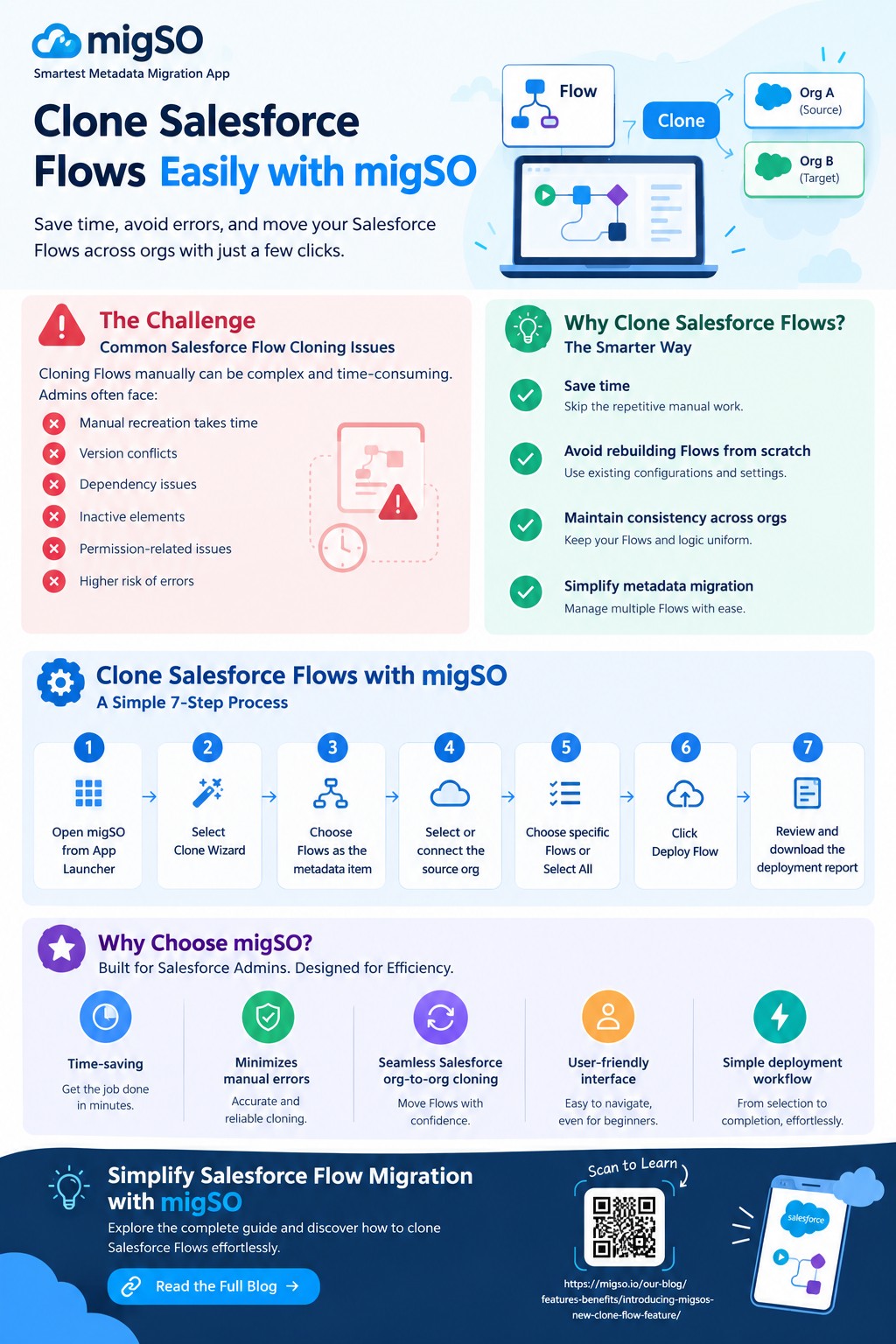
Want to clone Salesforce flows across orgs without the errors and inconsistencies of manual recreation? With migSO’s Clone Flow feature, Salesforce admins can easily select a source org, choose flows, deploy them, review the deployment status, and download a detailed report. It helps bulk clone flows in Salesforce while saving time, reducing manual work, and maintaining consistency across orgs.

Learn more:
https://migso.io/our-blog/feat....ures-benefits/rethin

Easily Clone Salesforce Flows with migSO Clone Wizard
migso.io

Easily Clone Salesforce Flows with migSO Clone Wizard

Clone Salesforce Flows effortlessly with migSO. Bulk Clone Flows in Salesforce across orgs, save time, reduce errors, and simplify Salesforce metadata.
Me gusta
Comentario
Compartir
migso tech9 profile picture
migso tech9
11 w - Traducciones

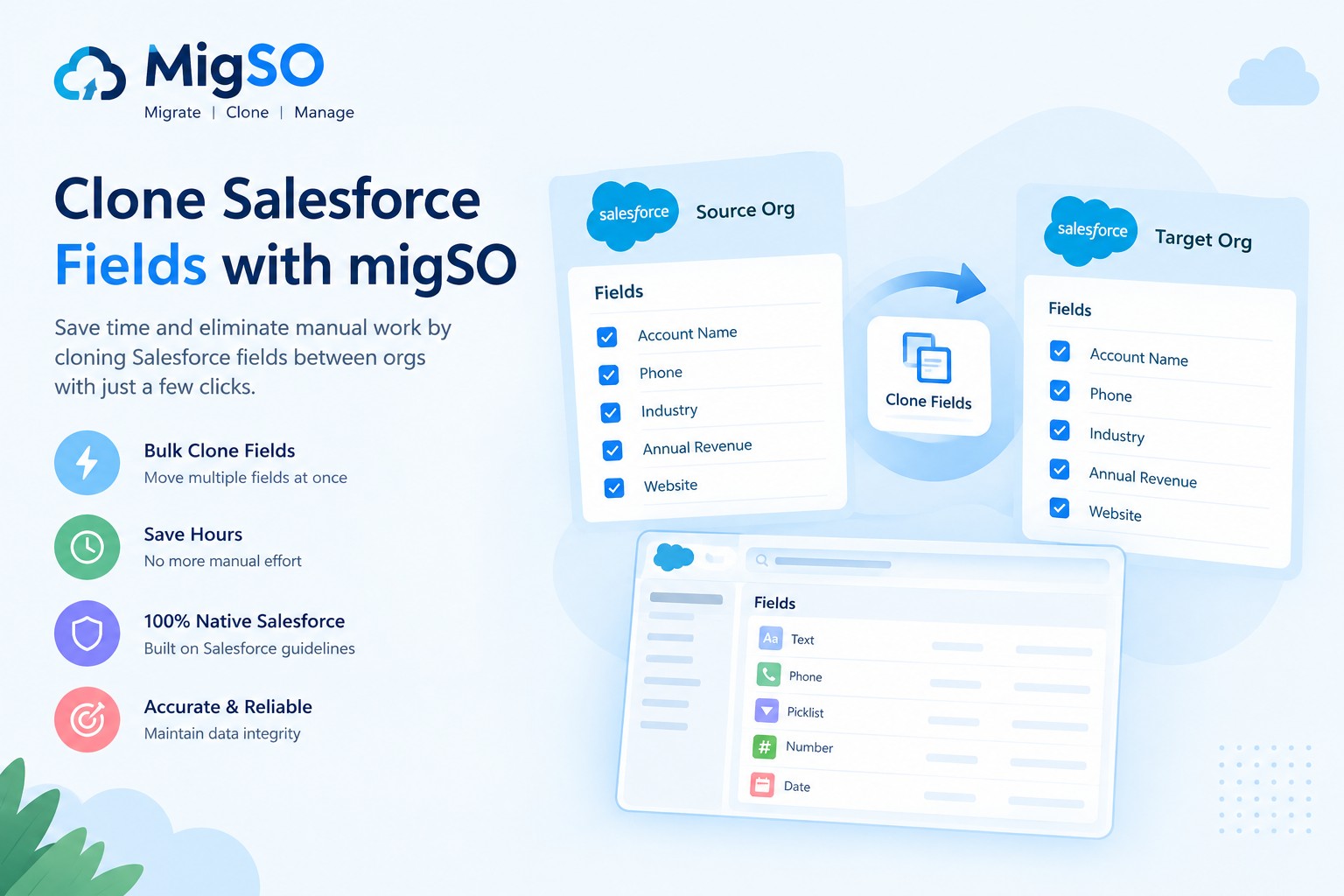
Clone Salesforce Fields faster with migSO. Bulk Clone Fields in salesforce and Clone Mass Salesforce Fields easily using one native Salesforce app.
https://migso.io/salesforce-cl....one-metadata/clone-s

image
Me gusta
Comentario
Compartir
 Cargar más publicaciones
    Información
  • 19 Mensajes
  • https://migso.io/salesforce-clone-metadata/how-to-

  • Hombre
Pin

migSO is a native Salesforce metadata management solution that enables administrators and developers to bulk clone Salesforce Flows across orgs quickly, securely, and with minimal effort. It automates flow migration while handling metadata dependencies, reducing manual work, deployment errors, and version conflicts. With metadata-only processing, a user-friendly interface, comprehensive deployment reports, and secure, Salesforce-native operations, migSO helps organizations streamline flow deployments, maintain consistency across environments, and improve overall Salesforce administration productivity.

    Álbumes 
    (0)
    Amigos 
    (0)
    Me gusta 
    (0)
    Grupos 
    (0)

© 2026 Dmotores

Idioma

  • Pin
  • Directorio
  • Blog
  • Contacto
  • Mas informacion
    • Política
    • Condiciones
    • Juegos

No amigo

¿Estás seguro de que quieres unirte?

Reportar a este usuario

¡Importante!

¿Estás seguro de que deseas eliminar este miembro de tu familia?

Has dado un Toque Migso

¡El nuevo miembro se agregó a su lista de familia!

Recorta tu avatar

avatar

© 2026 Dmotores

  • Inicio
  • Pin
  • Contacto
  • Política
  • Condiciones
  • Blog
  • Mas informacion
    • Juegos
  • Idioma

© 2026 Dmotores

  • Inicio
  • Pin
  • Contacto
  • Política
  • Condiciones
  • Blog
  • Mas informacion
    • Juegos
  • Idioma

Comentario reportado con éxito

¡Se ha agregado el mensaje a tu línea de tiempo!

¡Has alcanzado el límite de 5000 amigos!

Error de tamaño de archivo: El archivo excede el límite permitido (9 GB) y no se puede cargar.

Se está procesando su video, le informaremos cuando esté listo para ver.

No se puede cargar un archivo: este tipo de archivo no es compatible.

Hemos detectado contenido para adultos en la imagen que subiste, por lo tanto, hemos rechazado tu proceso de carga.

Compartir publicación en un grupo

Compartir en una página

Compartir al usuario

Su publicación fue enviada, revisaremos su contenido pronto.

Para cargar imágenes, videos y archivos de audio, debe actualizar a miembro profesional. Para actualizar Pro

Editar oferta

0%

Agregar un nivel


Seleccione una imagen
Elimina tu nivel
¿Estás seguro de que quieres eliminar este nivel?

Comentarios

Para vender su contenido y publicaciones, comience creando algunos paquetes. Monetización

Pagar por billetera

Elimina tu dirección

¿Está seguro de que desea eliminar esta dirección?

Elimina tu paquete de monetización

¿Está seguro de que desea eliminar este paquete?

Darse de baja

¿Estás seguro de que quieres darte de baja de este usuario? Tenga en cuenta que no podrá ver ninguno de sus contenidos monetizados.

Elimina tu paquete de monetización

¿Está seguro de que desea eliminar este paquete?

Alerta de pago

Está a punto de comprar los artículos, ¿desea continuar?
Solicitar un reembolso

Idioma

  • English
  • Spanish